AT – Assistive Technology, Overview of Resources:
The TVI, Teacher for the Visually Impaired, serves a low incidence disability. In plain language, it means the students with low vision or legal blindness are few and far between, so that usually means the TVI works as an itinerant teacher, sometimes misidentified as a roving substitute teacher or “the braille teacher” rather than a service provider assisting with accessibility. Assistive Technology for the Visually Impaired provides the low vision student with access to academics; in short, “eyes-to-paper” or “eyes-to-board,” and tactile learning access such as braille for students with LP only Light-Perception only, or NLP No Light Perception. Blindness is not a play for sympathy, nor should it hold any individual back. Low expectations and misunderstanding will hold an individual back.
In the 1970s, when producers for a popular puppet-based television show asked a researcher and specialist for advice on how to incorporate blind students into their picture of diversity, the specialist said, “Put forward TWO characters – one that uses LARGE PRINT and another that uses BRAILLE.” The puppet show producers did not follow that advice; the puppet show featured only a braille user. Over 30 years later, in spite of tremendous strides in accessibility, this type of misperception of blindness may lead to low expectations in grading, as in, “‘B’ is for Braille” or misunderstanding as students with low vision refuse to use their accommodations because they don’t want to look different from their peers. In contrast, peer support can be a resource in itself (Conroy, 2008).Role of Paraprofessionals Pitfalls and solutions In theory, we might all come to appreciate the use of large print and other accessibility, whether to help ourselves or to help someone we know: a student, a veteran, a senior citizen.
Practical Understanding
Practical Understanding of AT Devices and Services: Large Print and Magnification
Large Print and Magnification assist students with low vision in all settings. Cell phones’ cameras can be used to magnify images, but it makes sense to have training in specific devices or as back-up just in case cell phones are not permitted in testing conditions, for example. Digital magnifiers range from desktop x/y tables to handheld devices for identifying medicine labels at home, reading maps at school, or reading ingredients at the store. Choose Accessibility in the set up of most devices, and magnification and text-to-speech provide information for the user.
Definition of AT and Accessibility Posters
Accessibility Video Transcript:
Practical Understanding of AT Devices and Services: Braille
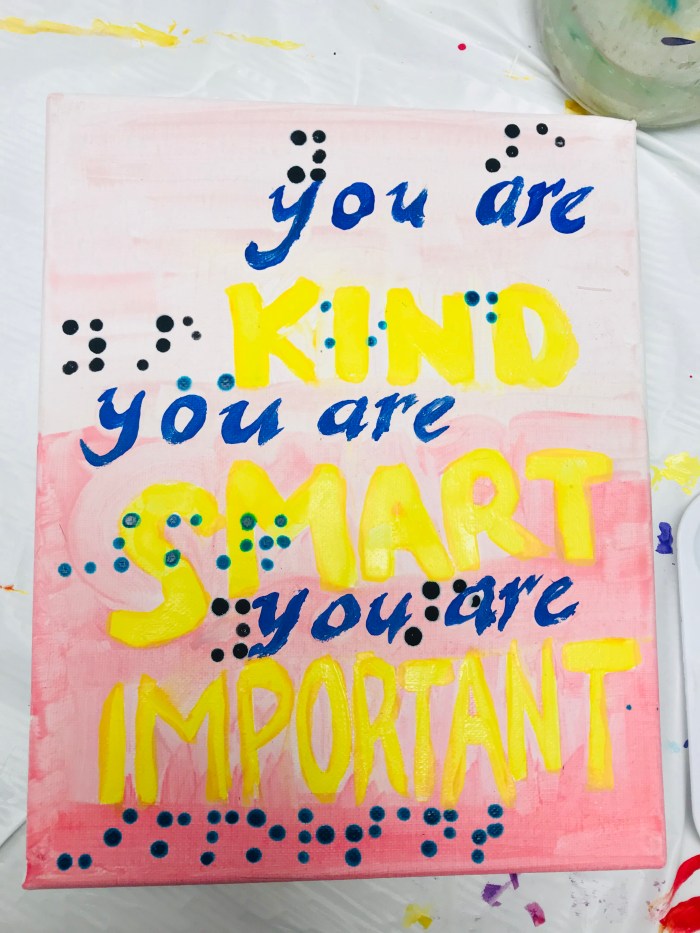
Audio-only has its limits; Braille provides the individual with the ability to access literature and to multi-task, such as reading a phone book or receipt or other resource while on the phone with customer service. Braille technology has its limits; every improvement comes with obstacles such as a steep learning curve, dependency on being connected to the internet, and reconciling with having to learn more new technology right after you had just figured out the “old” technology. And yes, there are braille codes for math, for Spanish and other languages, and braille codes specific for computer addresses.
Louis Braille biographical song lyrics for his January 4 birthday


Practical Understanding of AT Devices and Services: Accessibility
The technology user who can adapt to given situations will more likely reach the goal. Accessibility is built-in to certain laptops and tablets, free software supports the user when working in a newer setting, and paid-for software provides specific support for academic tasks.
Windows Keystrokes for Reading Text also works with JAWS
Theoretical Understanding
Theoretical Understanding of AT Devices and Services: Large Print and Magnification
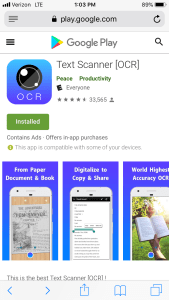
Any device with a built-in camera that uses apps can be used as a magnifier, identifier, and scanner for reading with OCR, Optical Scanner Reader. This video includes aspects of OCR – click on this link for the transcript:
Theoretical Understanding of AT Devices and Services: Braille and Accessibility
The braille code provides access to literacy skills and access to everyday tasks. Braille instruction for individuals who use large print but fatigue easily can provide access to literacy and improve stamina for academics.
Braille Note TOUCH resource link with sample screenshots
Integration
How AT Devices and Services Integrate with Each Other: Large Print and Magnification
Large Print is awkward to carry, but the user can place physical bookmarks and other reliable methods of keeping track of where the user had been reading earlier. Magnifying digital copies potentially makes the work easier in portability, but one wrong touch or one wrong keyboard navigation tap makes the text “wiggle” out of context or “zip” to an unintended paragraph or chapter. Using a digital magnifier on print copy helps with stablizing the target. Putting these resources together depending on the student’s academic task means prioritizing the approach for accessibility.
Music Magnification samples and LP Music Teaching Mandate
How AT Devices and Services Integrate with Each Other: Braille and Accessibility
Braille and pictures require ways to create three-dimensional maps, tactile puff-paint dots on keyboards, touch typing, keyboard navigation without a computer mouse, and other raised-line access. Braille and computers require ways to orient the user with verbal and tactile prompts.
Sample from Twin Print Embossers for Braille and Tactile Graphics


Classroom
How AT Can Be Implemented in a Classroom Setting: Large Print and Magnification
Assistive Technology for students with Low Vision is not a one-size-fits-all as in, a one-gadget-fits-all. Students can sit closer to the board, mount a document to a reading stand, set a document on a three-ring binder, or view digitally scanned worksheets on a magnified setting on a laptop. Other magnification tools include near vision access such as dome magnifiers, digital magnifiers, and distance magnifiers such as ditigal magnifiers and monoscopes. Patched Vision Reading Options, click the link for a demonstration: Patched Vision Reading Options
How AT Can Be Implemented in a Classroom Setting: Braille
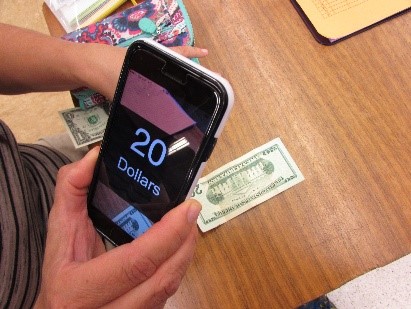
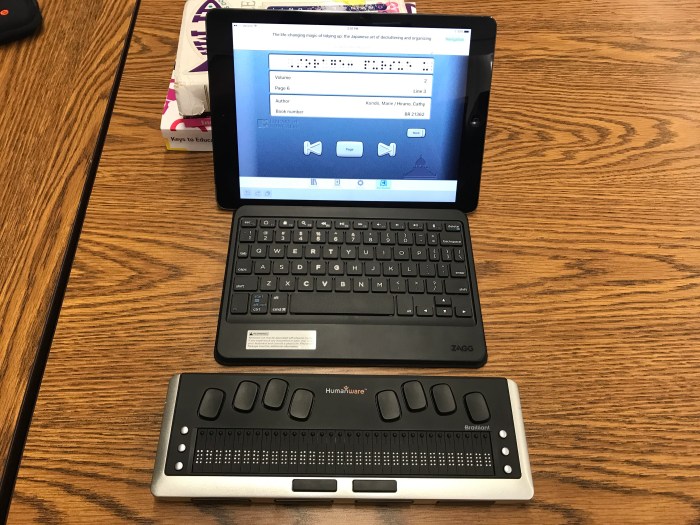
“How can you be looking at your phone? Aren’t you blind?” This is a typical reaction that assumes Braille users have no light perception. However, AT makes a tremendous difference in how everyone can access the world. Braille users can access text in a variety of settings with a variety of accessibility options. Braille users may be legally blind and use their limited vision for accessing their phones, or they might use a Braille device to access the text. Braille users might only require Braille labels for functional purposes such as labelling folders, identifying cash, or other personal items where the light is too dim to read. These are resources to encourage Braille users in their special education journey.
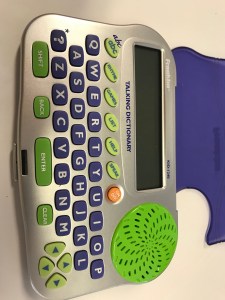
How AT Can Be Implemented in a Classroom Setting: Accessibility
Setting groundrules for the appropriate use of technology makes the use of technology a resource rather than a potential distraction. Phone etiquette, tablet etiquette, and appropriate guidelines for classroom norms with follow-up for conflicts and concerns will provide a supportive learning environment.
Classroom Magnifier Accessibility Freezeframes and saving images
Conclusions for AT
Rationale for Artifact Selection: Large Print and Magnification
SETT is an acronym for Student, Environment, Tasks, and Tools. SETT Framework, created by Joy Zabala,joyzabala.com can guide the IEP team with a shared perspective and a document to help with the analysis of applying Assistive Technology.
Rationale for Artifact Selection: Braille and Accessibility
SETT is an acronym for Student, Environment, Tasks, and Tools. LMA stands for Learning Media Assessment. The Learning Media Assessment includes a Reading Inventory and flow chart for the forms the evaluator will use as part of considerations whether the student will use Braille, Large Print, or a combination of learning media.
Texas School for the Blind Learning Media Assessment
Assessment – ColorAssessment – Contrast SensitivityAssessment – Functional Visual Acuity for Christopher LaraAssessment – Lighting EvaluationAssessment – Oculomotor
Tagged Color, Contrast, and Lighting
Perspectives
Perspectives: Administrators
Administrators such as Program Specialists in Special Education are responsible for a work environment that supports the service providers and meets the requirements of the IEP. Here are resources that inform the administrator on the supports that the TVI needs, as the TVI works with Paraprofessionals, Case Managers, and other Support Providers. Other support providers include but are not limited to Braille Production/Transcribers, Orthopedic Impairment, Adaptive Physical Educators, and Orientation and Mobility.
Role of Paraprofessionals Pitfalls and solutions
Perspectives: Paraprofessionals
Paraprofessionals or IA Instructional Assistants respond to their responsibilities with depth and consideration, yet they are at risk of being isolated and not appropriately supported in their roles of creating adaptive materials, serving as a liaison between the student and staff, and having to learn braille code on their own. Moreover, they may find themselves competing for resources that have been meted out to other departments without their knowledge. These are resources that define the role of the paraprofessional and lists the supports the IA require.CTEBVI roles of the Paraprofessional for students w Visual Impairments
Guidelines for TVIs California DE 2014 abridged for the role of the Paraprofessional and FVAs
Perspectives: TVIs or Teachers for the Visually Impaired and O & M or Orientation and Mobility Teachers
TVIs are usually itinerant in their provision of services. Classrooms for the Visually Impaired will require a TVI for instruction as well as Braille adaptation. Being a constant traveler brings challenges in explaining this traveling-teacher role to each new campus. Literacy readiness signs that are required for learning Braille can be difficult to explain to the parents that insist Braille is the only solution for their children. The child may still be working on visual awareness and localization of objects. These resources support the TVI in these tasks.
Foundation for Education VI considerations What Students Should Know and Do
APH Light Box Activity Guide CVI Resource
Perspectives: Parents
Parents that are connected to community and community resources have a stronger perspective on the tasks, appropriate support, and the setting for their children. BI, APH, NFB, and AFB are important places to build connections and understanding for literacy and advocacy.
National Federation of the Blind Braille Monitor November 2019 Table of Contents
American Foundation for the Blind
Academic Language
Academic Language Specific to AT: Large Print and Magnification
Terms of the Trade: LP Large Print, LMA Large Media Assessment, CCTV Closed Circuit TeleVision shows big images but not necessarily TV programs, OD Right Eye, OS Left Eye, and does 20/20 from the doctor really mean that the student can process what is taken in visually? These are resources that can assist the Education Specialist on the journey to understanding abbreviations and terminology discussed among TVIs.
Environmental and Components of Visual Functioning
CCTV caution sign – Why TVI should be the person to move the digital desktop magnifier
Academic Language Specific to AT: Braille and Accessibility
Terms of the Trade: ⠚ ⠇ ⠽ Just Like You? Jelly – ⠚⠑⠇⠇⠽ means a spread for bread, but when there are spaces between letters, “j l y” means “just like you.” The Braille code has a long and notable history, these are resources to guide you if you seek to learn the code. Accessibility: Technology changes constantly, and the most exciting options are anticipated in talking eyewear, text-to-speech, speech-to-text, and refreshable braille displays.


Blind Children’s Learning Center
How to Memorize 50 of the 64 Braille Contractions
Accessibility Screen Reader – NonVisual Desktop AccessJAWS – Job Access with Speech download
Assessment
Assessment: the Functional Vision Assessment and the ECC
There is no standardized test for assessing students with Low Vision and Blindness.
Adapting lessons, adapting materials, it’s all based on the IEP, and the IEP is based on the Functional Vision Assessment. Students with Low Vision require access based on the vision that they have and the Eye Specialist’s report on the nature of the Visual Impairment. The Optometrist or Ophthalmologist has the authority to state the nature of the Visual Impairment, the Visual Therapist uses a clinical setting and a medical aspect to vision, and the Low Vision Eye Clinic has the authority to prescribe magnification devices. As an Education Specialist, the TVI can only make non-medical recommendations based on the observation of the student and the provision of services within the definition of low vision or blindness. Having one eye does not mean a student is blind. Having thick glasses and squinting does not mean a student is blind. The terms defining legal blindness are limited to: 20 degrees-limited peripheral vision, vision worse than 20/200, and/or the Eye Specialist report on CVI, even with correction (meaning glasses) per the state law.
Cerebral Visual Impairment Is More than The CVI Range
CSB California School for the Blind
Guidelines for TVIs CDE includes FVA
Skills Needed to Operate Equipment Braille Literacy AFB
The use of primary media – large print or braille – is one evaluation, another is the impact of CVI or Cortical Visual Impairment on visual processing, and as of 2019 another evaluation that needs to be made is the Expanded Core Curriculum. These resources will help the reader consider the approaches to learning media, evaluate the impact of CVI, and weigh the options for determining the number of service minutes based on the ECC.
TSBVI VISSIT Service Intensity
Transition into the next stage includes but is not limited to home care for the nonverbal “super-senior,” career connections through community-based services, or developing skills through contacts made with the Department of Rehabilitation.
Blind Field Services, Department of Rehabilitation
AT Portfolio Signature Assignment CPawluk SPD 653
 spedjourney.com